

Part 1 - The Outer Ring
Don’t have the time to read the entire article? You can listen to it here.
The idea was simple. Build an autonomous toy car that would use AI in the backend to roam around and chat back-and-forth. After all, I have been using Claude Code long enough—not personally writing a single line of syntax while building various personal tools that run locally and use all local resources. LLM models to chat, talk, research, and do vector analysis. Local video generation and audio generation. You name it. All I had to do was design and engineer what I wanted and let my friend Claude Code build the rest. Easy.
I didn’t think the very thing that would power the car’s brain would become the ultimate labyrinth. This is my story of over-engineering a solution, stepping into a modern tech fortress, and learning lessons from the rings within.
You see, the Greek mythological story of Daedalus and his son Icarus is usually told as a tragedy, about hubris and the consequence of defying the gods. What fascinates me about the story is not what happened to Icarus during the flight. Instead, I find myself drawn to the father.

Daedalus was a master builder who found himself imprisoned, along with his son Icarus, in the very labyrinth he had designed for the King Minos. The only safe way to escape and survive was to fly out of that island of Crete, as Minos controlled all ports. To escape from the island surrounded by the sea, he architected something extraordinary. And the wings worked. The engineering was sound. Yet, the very solution that freed him also introduced an entirely new set of constraints and dangers. Looking back, I realize I was about to walk into a labyrinth of my own making.
Technical lesson: Confidence from past wins can blind you. I had built so many things with Claude Code that I assumed the next thing would be equally smooth. But software tools running on a laptop and hardware projects running on a constrained device are two very different worlds.
Life lesson: We often pick the path that sounds impressive over the path that works. “I repurposed an old iPhone as an AI brain” sounds a lot cooler than “I bought a Raspberry Pi.” And that’s exactly where the trouble starts.
The thinking was straightforward. Don’t go with a lot of hardware. That’s too easy. How about I challenge myself and use minimal hardware—use an old iPhone 13 Pro Max for the big brains in the backend, its LiDAR and camera for vision and depth, and Siri plus additional open-source speech models for the ears and voice? Get a simple DIY kit with basic hardware and tie them all together. That was the challenge I set for myself.
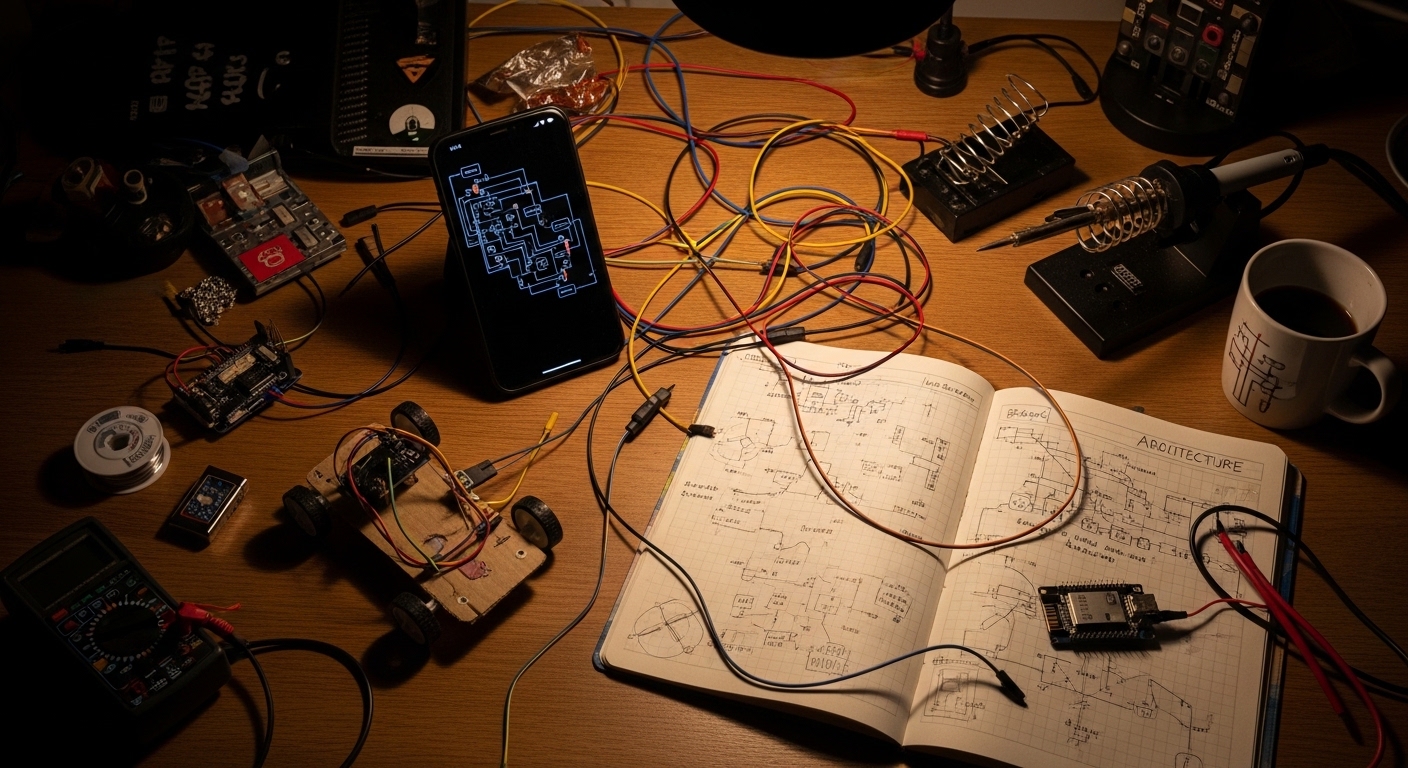
The software had to be modular. CircuitPython to run on the BananaPi PicoW. Swift for the iOS apps. One app to control the car manually. Another to chat back and forth. Build each piece independently, then bring them all together.
Technical lesson: Going modular saved this project. When one piece broke, the others kept working; if I had built everything as one monolithic app from the start, every bug would have been a mystery inside a mystery. Separate the pieces, get each one working independently, then integrate.
Life lesson: “Minimal hardware” is a relative term. I called it minimal because I was using one phone instead of a bunch of boards. But that one phone came with an entire operating system, a fierce set of privacy rules, and a company in Cupertino that had very different ideas about what my app should be allowed to do. Sometimes minimal is not simple.
The first thing to build was the iOS chat app. The rules I set for myself were clear: keep everything local. LLMs have to run on-device. Use models optimized for Apple’s MLX framework. Have a good frontend for downloading various models and configs. Save chat sessions. Try the built-in Siri voices first, and then integrate with Whisper and Piper models for speech-to-text and text-to-speech when Siri is not enough. And why not throw in RAG to upload documents—not really needed for a toy car, but why not?
Claude Code was very efficient and built it. Of course, it is not a simple prompt. You have to provide details about your architecture and your frontend design. You don’t want to leave any structural decision to Claude or any other model you are using, if you want things your way.
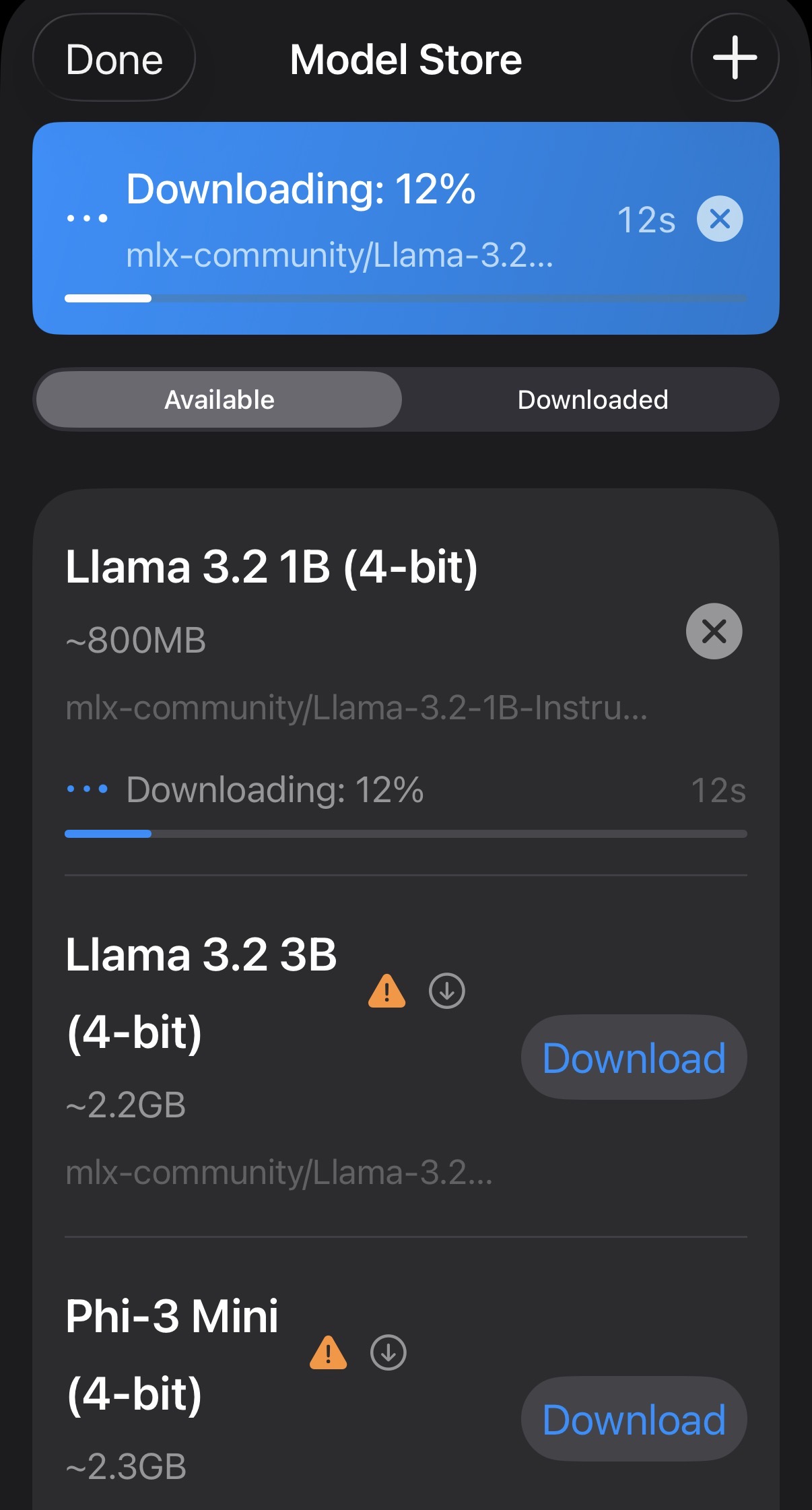
And voilà—after a couple of iterations and testing, the chat app was ready and worked great. Would it be possible for me to build something like this so quickly without an AI assistant? No way. I am not a syntax programmer. I might have done some scripting in the early days of my tech career, but I am not a coder. I certainly had no clue about Swift programming.
But here is the distinction: I didn’t need to code, because I could architect.
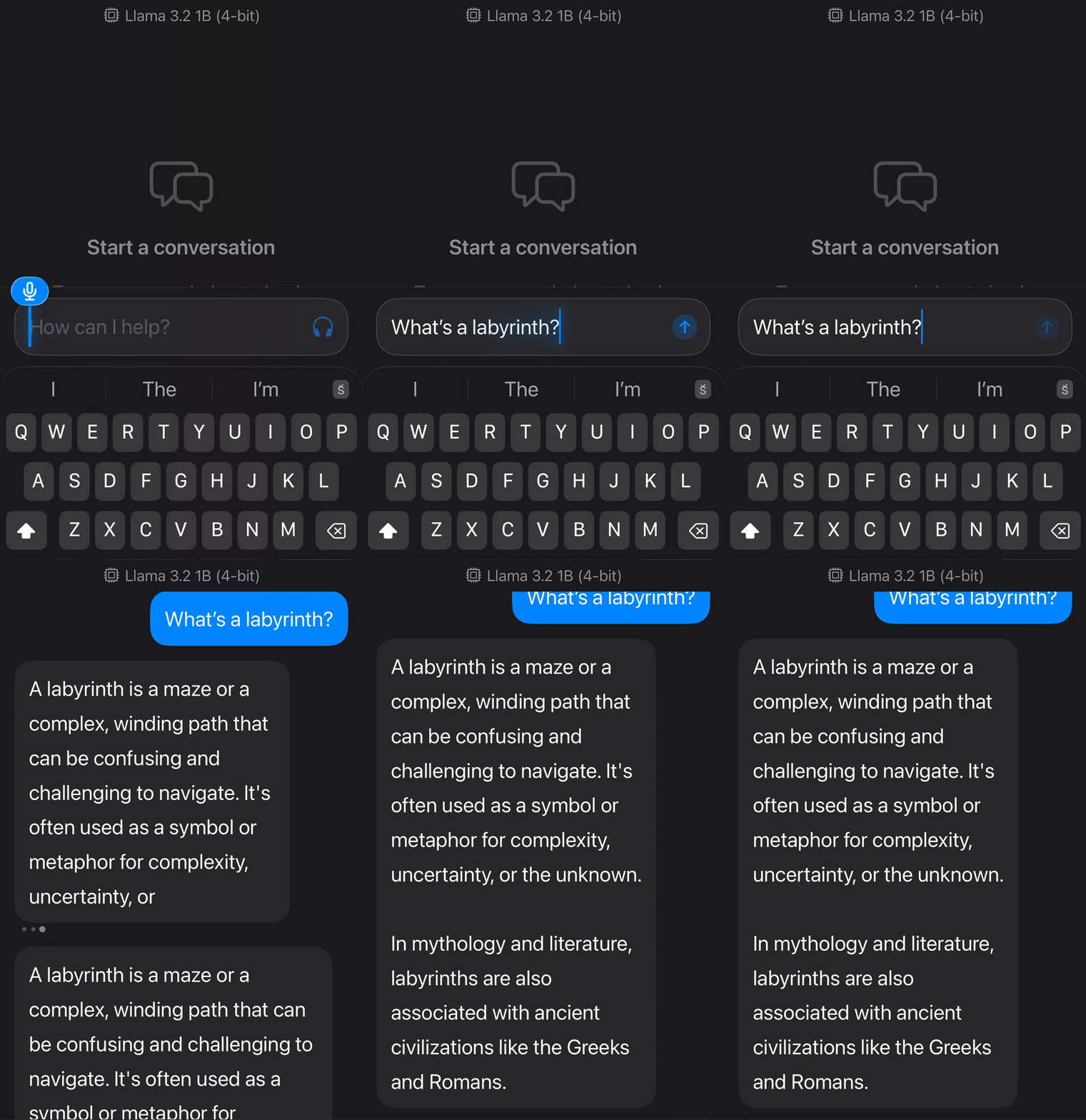
Technical lesson: When working with AI coding assistants, be specific about your architecture upfront. Don’t say “build me a chat app.” Say “build me a chat app using MLX models, with a model download screen, chat history persistence, and Whisper for speech-to-text.” The more structural decisions you make before the prompt, the fewer surprises you get after.
Life lesson: Not being a syntax coder does not mean you cannot build complex systems. It means you need to be an architect. You must be very clear about what you want because you cannot fix what you do not fundamentally understand. The thinking is the hard part. The typing was always the easy part—and now you don’t even have to do that.
And this is worth pausing on for a moment. We are in one of the greatest moments in the history of mankind. We are not looking at the future anymore; we have all been pushed into this future as if we all collectively went through some kind of time portal. So how do we make ourselves relevant in such a future? Do we just sit here and keep complaining, or do we adapt?
We have been collectively pushed into a future most of us didn’t see coming. The question isn’t whether AI will replace what we do. The question is what we choose to do with what’s now available. I don’t think life arrives with a predefined purpose. We create one. At that moment, building an AI toy car felt like purpose enough.
Next was programming the BananaPi PicoW to drive the car. The Mecanum wheels give the car its greatest ability: it can move omnidirectionally on a flat surface, as the wheels can be driven separately with varying speeds and angles. The mini wheels within each wheel give it the ability to move at any angle, unlike a regular wheel.
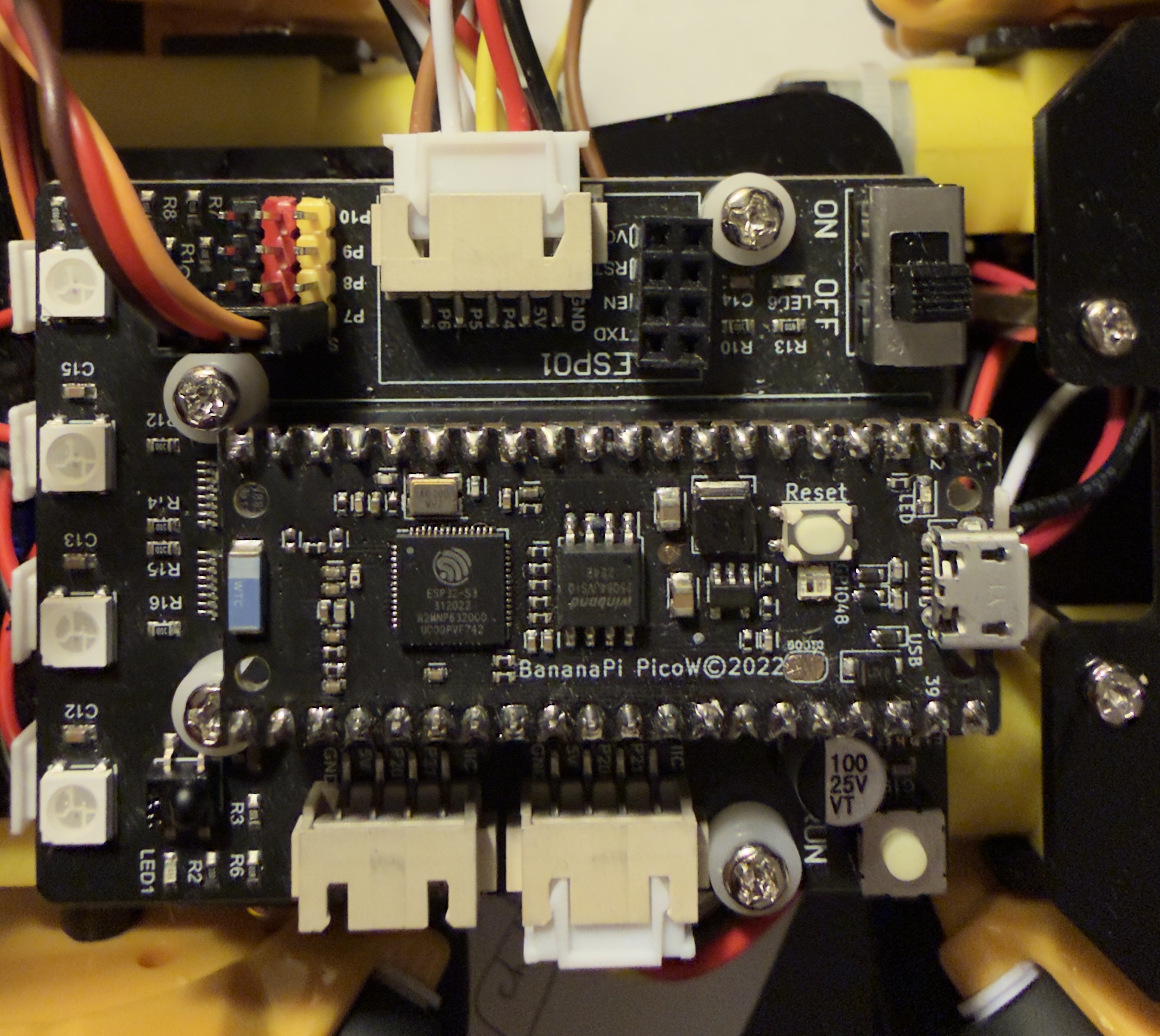
All I had to do was find the pin and wheel drive mappings to program the car and use the iOS app to control it. Doing my first hardware project of this type, I spent a lot of hours trying to map the pins and wheels manually. I quickly realized that many companies making these DIY kits for STEM projects don’t always follow strict standards. After struggling for a while, I thought—why not just connect it as-is and ask Claude to figure out the control logic?
And that’s what I did. I was pleasantly surprised to see how quickly Claude figured it out and wrote the code. The wheels didn’t just move; they moved in all possible directions.
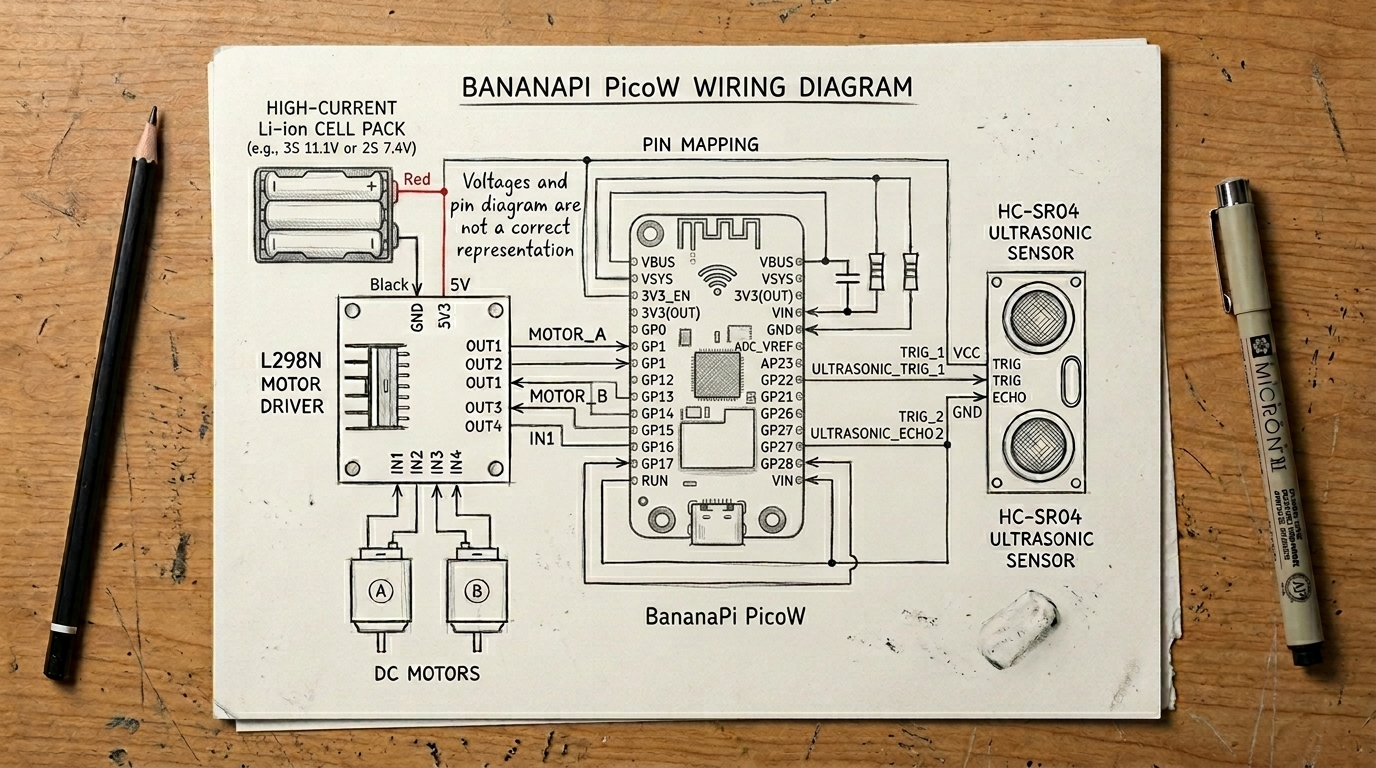
Here I have to give credit to Gemini as well. As I progressed on this project and other similar hardware tasks, I realized there was no point in me squinting at IC pin layouts trying to figure out which pin goes where on the expansion boards. Many times I would just take a picture of the front and back of the chip, give it to Gemini, explain the issue, and ask a question. Gemini would often identify the board layout and suggest which pins to short. Some of these boards lacked switches, and certain pins would occasionally float high (become erroneously active), causing the board to enter an unstable state.
Technical lesson: Use the right AI for the right job. Claude is excellent at building structured code from your architecture. Gemini is excellent at looking at a photo of a chip and telling you exactly what you are looking at. Don’t struggle with datasheets when you can take a picture. Don’t be loyal to one tool when another does the job better.
Life lesson: Asking for help is not a weakness. I spent hours trying to figure out pin layouts by myself before I thought of just showing a photo to an AI. The stubbornness cost me time, not the problem itself. Know when to stop struggling and start asking.
Then came the frontend iOS app for manual control. This was not difficult, but there were some quirks trying to tell Claude the exact way I wanted the frontend to look. Claude was very quick in building a simple frontend. Making it work to control the motors correctly took some time—not because Claude was bad, but because of the specific vocabulary I was using. When it comes to technical words, using the right ones gets you to your goal much quicker. After all, there is a distinct difference between a car moving forward, sideways, strafing, arcing, and turning. If you ask it to go sideways but you meant strafing, and the car is not exactly doing it, you will bang your head against a wall.
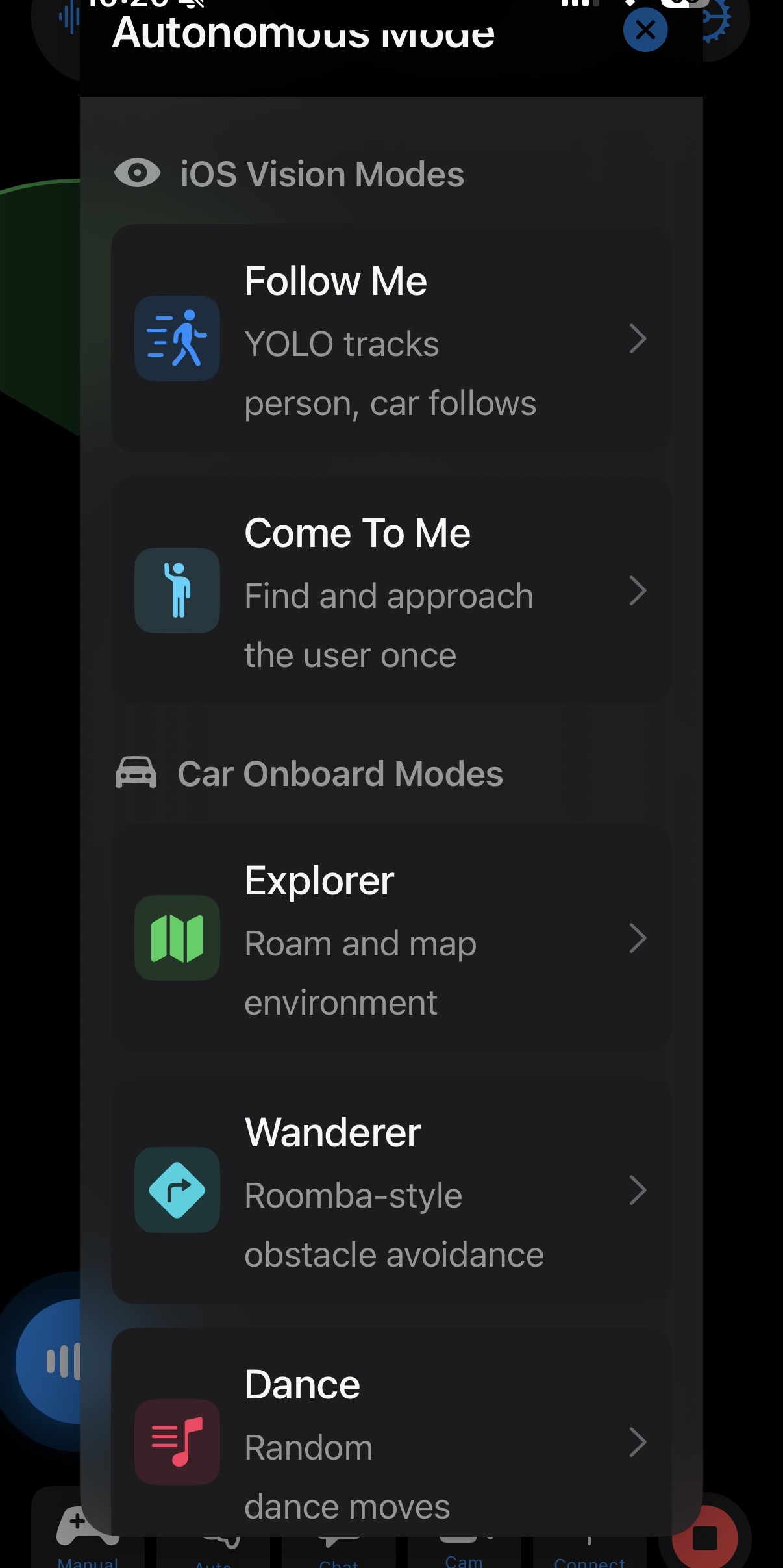
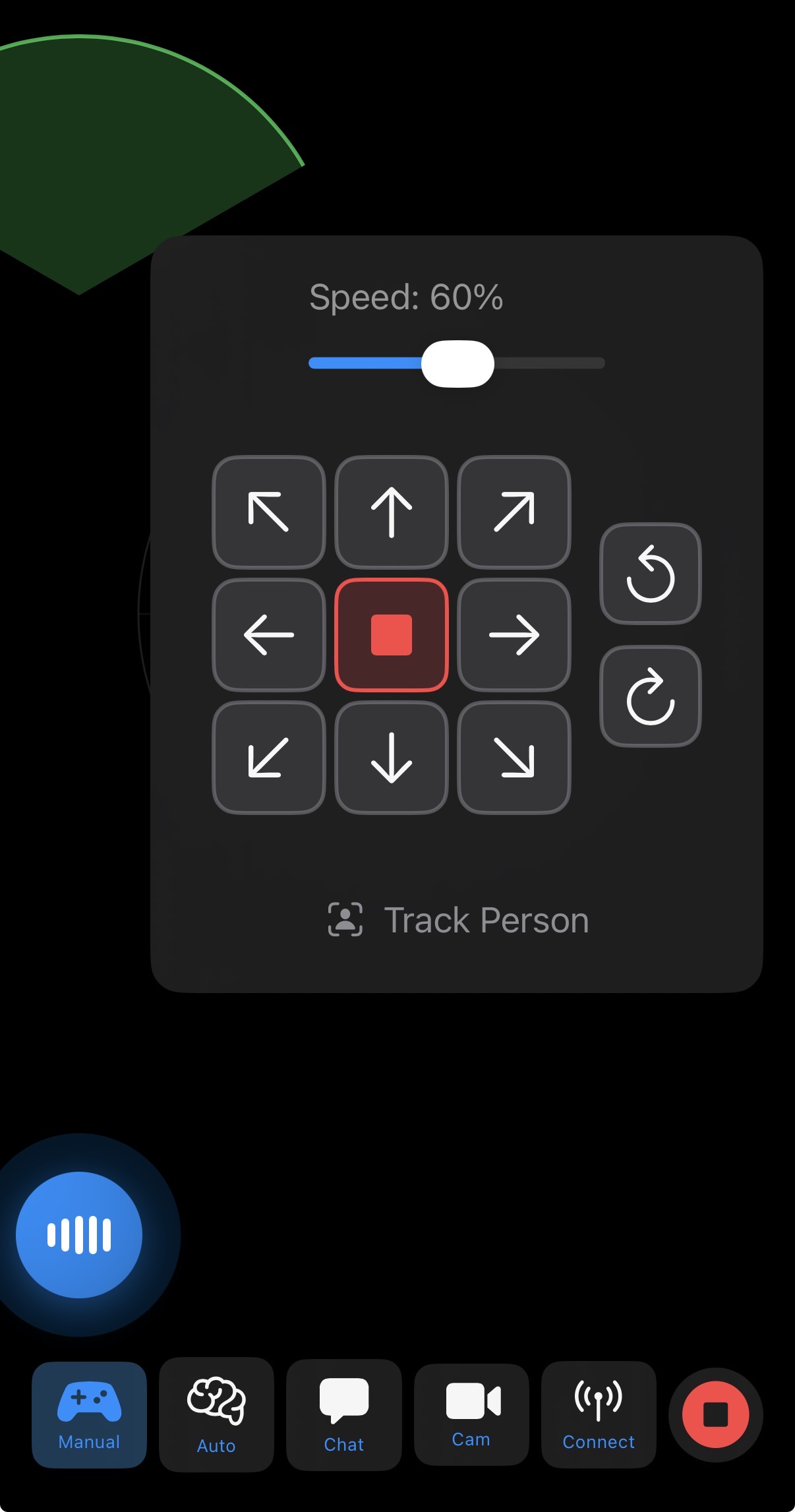
You have to be absolutely clear with your concepts and vocabulary. Once Claude goes into its own thinking, it can go very quickly down a spiraling path that takes the code completely away from the original intent.
And learn how to use Git to maintain your versions and branches. Every time you have a good working code, version it and commit. Use new branches as much as possible. This will save you tremendous amounts of time. If you don’t, your code will very quickly deviate from a well-working state to a completely nonsensical state, and it will be too late. The coolest part? You don’t even have to remember any of the Git syntax. Just ask Claude to commit and create a new branch. Work in the branch and commit only if you are happy with the output. If Claude makes too many mistakes—introducing new bugs, completely removing working features (yes, this happens from time to time)—just don’t commit. Delete the branch and start fresh.
Technical lesson: Words matter more than code. The difference between “sideways” and “strafing” wasted hours of my time. When working with AI tools, invest time in learning the correct terminology for your domain. A precise prompt saves ten rounds of debugging. And version control is not optional—it is your safety net when the AI spirals.
Life lesson: Communication is the bottleneck in every collaboration, whether your partner is human or artificial. The problem is rarely that the other side is incompetent. The problem is almost always that you did not say what you actually meant.
The theory was finally clear to me, and I felt that surge of confidence. I was going to build a prototype, and I was going to do it fast. And build a prototype quickly, I did… ahem… by which I mean my friend Claude handled the heavy lifting while I primarily provided moral support - the occasional “Keep going,” and the Enter key.
Now, this naturally brings up the question my uninitiated friends love to ask with practiced sarcasm: “So all you’re doing is giving it a prompt?”
Not quite. Navigating a modern tech stack still requires a compass. Even a “simple” prototype is a modular puzzle — you need to understand architecture to know what to ask for, and to know when the AI has quietly gone off the rails. It’s like asking Spielberg if he’s “just talking” while the crew does the work.

The seat isn’t reserved for whoever can out-code the AI. That race is already lost. The seat belongs to whoever knows how to steer. In a world where anyone can build a prototype with a prompt, value shifts entirely to judgment — knowing _what to build, why it matters, and how to keep the vibes anchored in structural reality.
We might be vibe-coding our way through the week, but we’re still the ones defining the destination. At least, I hope so.
So what did I have by the end of this phase? An independently running iOS chat app that uses locally installed LLMs. And a toy car with a BananaPi PicoW module running simple CircuitPython code that advertises its Bluetooth and can connect to Wi-Fi—ready to accept connections from a remote device/app.
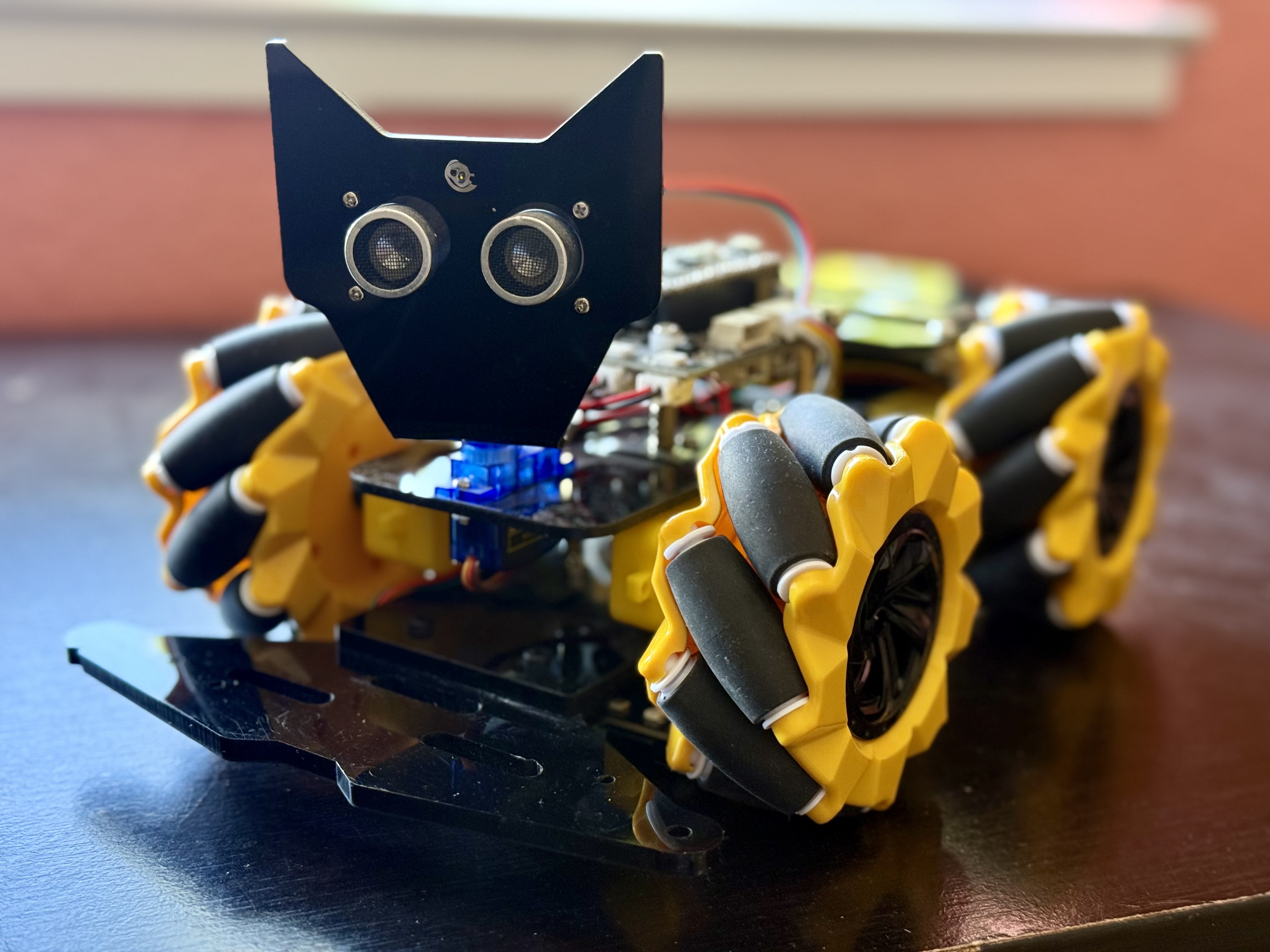
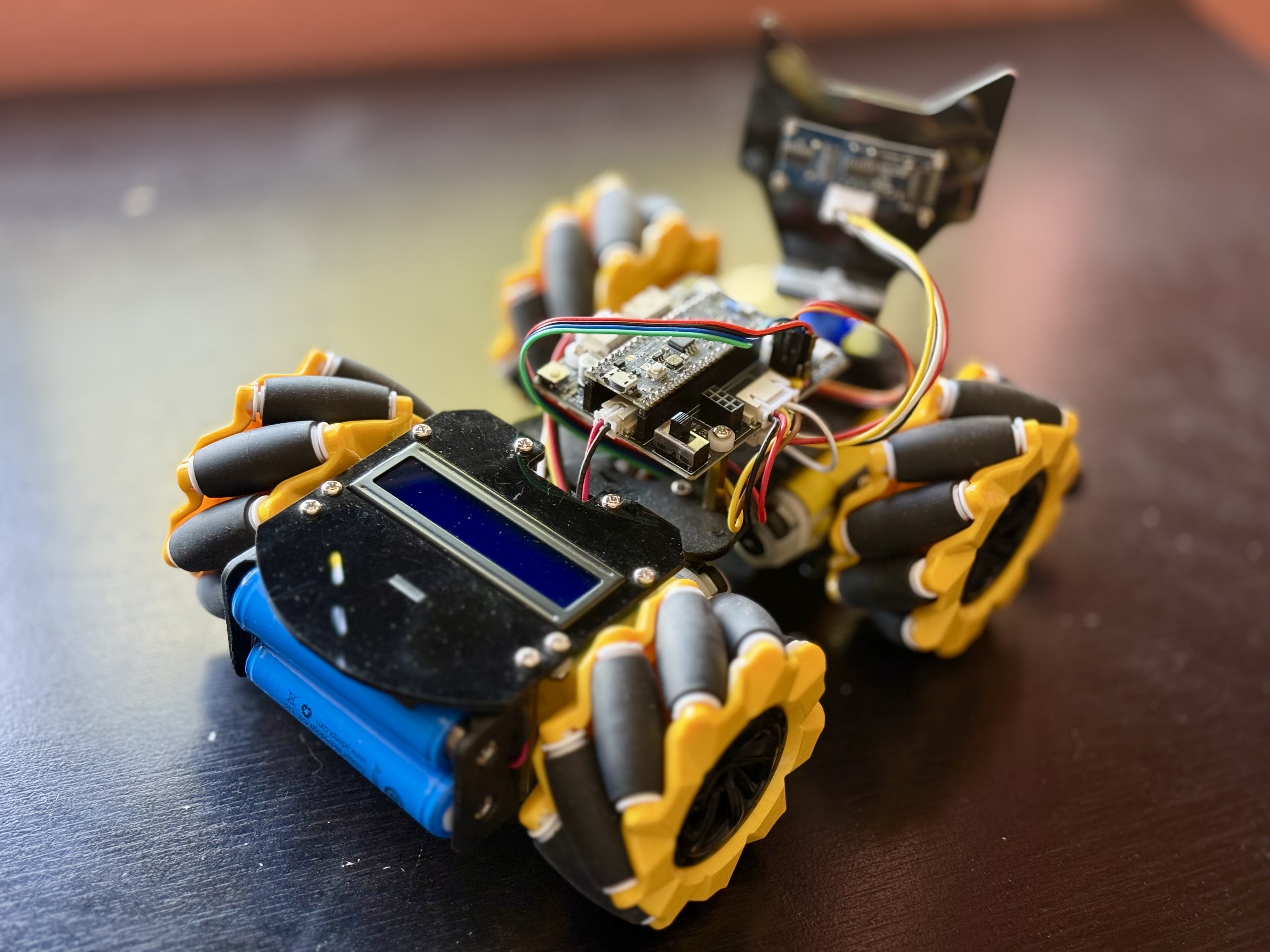
I had breached the outer ring of the fortress with ease. I felt that massive surge of confidence, believing I was going to have a fully autonomous roaming companion by the weekend. I had successfully entered the labyrinth.
But entering is the easy part. It’s figuring out how to survive the inner rings that changes the game.
Back in the story of Daedalus and Icarus, the father built the wings. The beeswax he used worked great. Then he showed the son the inner workings of the flight system and how to use it. And then they took off. And it all went as planned, for a while.
We will tackle the inner rings in Part 2.
This is Part One of a Three-Part series.
You can face the The wall in Part 2 A Formation of My Own Making — Part 2: The Wall
A Formation of My Own Making — Part 3: The Exit
"Impressive" is not the same as "Capable": Real autonomy comes from matching ambition with …
A Formation of My Own Making — Part 2: The Wall
When Apple's privacy protections met my over-engineered toy car design. The lessons of …
Ekalavya - The Arrow That Never Flew
On the comfort of infinite potential, the friction of the workbench, and how we traded the …
The Backdoors of the Future
A backdoor created by a model does not care who uses it later. It is just an AI-generated …
Anatomy of a Prompt: Chapter 3 - The Model Wars
The Model War is not about the smartest engine. It is about who wires the house, who owns …